ClickFix in 2026: Why Fake CAPTCHA Pages Ask You to Paste a Command, What the Clipboard Trick Actually Runs, and How to Stop Staff From Infecting Their Own PCs
- Internet Pros Team
- October 20, 2026
- Networking & Security
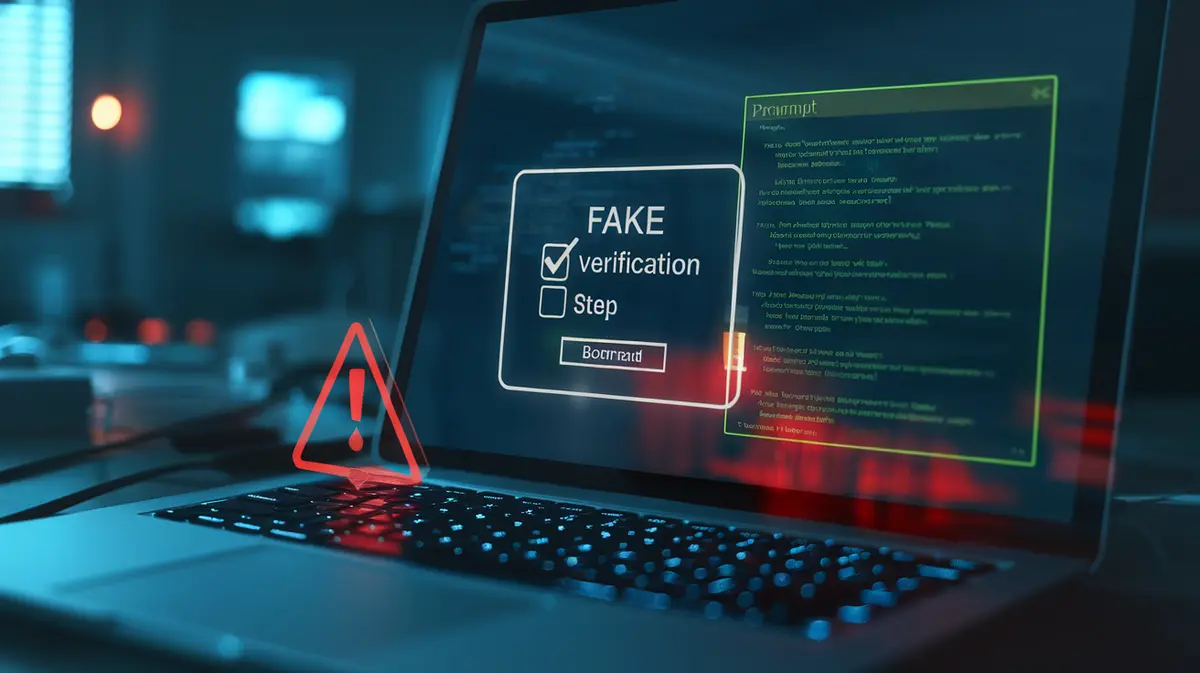
The page looks like every other website check. There is a box that says “I’m not a robot”, and when you tick it, a short set of steps appears: press the Windows key and R, press Ctrl+V, press Enter. It feels like a slightly odd security check. It is actually you installing malware for the attacker. This trick is called ClickFix, and it became one of the most common ways attackers got into business PCs. It works because it does not try to beat your security tools. It asks the user to step around them.
How a ClickFix Attack Works
Security researchers at Proofpoint and others began tracking the technique in 2024. The basic flow has barely changed since then:
- The lure. The victim lands on a hacked legitimate website, a malicious ad, a fake software download page, or a link in an email. Hacked WordPress sites are a favourite, because their visitors already trust them.
- The fake problem. The page shows a fake CAPTCHA, a fake “browser update required” notice, a fake Word or Teams error, or a fake “fix your connection” prompt.
- The silent copy. When the user clicks the button, JavaScript on the page puts a command on the clipboard without showing it. Browsers allow a page to write to the clipboard after a click, so no warning appears.
- The user runs it. The instructions walk the user through opening the Windows Run dialog, pasting and pressing Enter. The visible part of the command is often padded with a harmless-looking comment such as “Verification ID: 48213” so that the dangerous part scrolls out of view.
No legitimate CAPTCHA, browser, or Microsoft error will ever ask you to open the Run box, a terminal, or File Explorer and paste something into it. If a website gives those instructions, it is an attack.
What the Pasted Command Actually Runs
The command itself is small. Its only job is to fetch and run the real payload with tools that are already built into Windows, so there is no suspicious download for antivirus to scan first. Common patterns include mshta loading a remote HTA file, a hidden PowerShell window downloading a script, or curl pulling a file into a temporary folder. What comes next is usually one of these:
- Infostealers such as Lumma, which grab saved passwords, browser session cookies and crypto wallets within minutes.
- Remote access tools that give the attacker a foothold to come back later, often sold on to ransomware groups.
- Loaders that install whatever the operator wants next.
Because the user started the process from their own session, it runs with their permissions and looks to many tools like a normal user action. Microsoft’s 2025 Digital Defense Report named ClickFix the most common initial access method its Defender Experts team saw during the year, ahead of ordinary phishing links.
The Variants Keep Moving
| Variant | Where the user pastes | Why attackers use it |
|---|---|---|
| Classic ClickFix | Windows Run dialog (Win+R) | Fast, familiar, and runs the command right away |
| FileFix | File Explorer address bar | Gets past companies that disabled the Run dialog, and looks like opening a shared file |
| PowerShell / Terminal | A terminal window the user opens | Aimed at technical staff, often dressed up as a developer fix or GitHub issue |
| macOS variant | Terminal on a Mac | Delivers Mac infostealers such as Atomic Stealer to users who assume Macs are safe |
Attackers also sell ready-made ClickFix kits, so the same fake pages show up across many unrelated campaigns. The look changes every few weeks. The core move, “paste this and press Enter”, does not.
Why Normal Defences Miss It
Email filters may never see the lure, because the victim often reaches the page by searching or browsing. There is no attachment to sandbox. The website hosting the fake CAPTCHA may be a real business with a clean reputation. And the first stage uses signed Microsoft programs. Endpoint detection and response (EDR) tools can still catch what happens next, but by then the stealer may already have taken the browser cookies. Training alone is not enough, because the lure is built to look like routine friction that people click through every day.
Technical Controls That Actually Help
- Remove the Run dialog for staff who do not need it, using the Group Policy setting “Remove Run menu from Start Menu” or the equivalent Intune policy. It will not stop FileFix, but it breaks the most common script.
- Restrict scripting tools. Use App Control for Business (formerly WDAC) or AppLocker to block
mshtaand limit PowerShell for regular users, and run PowerShell in Constrained Language Mode where you can. - Turn on attack surface reduction rules in Microsoft Defender, especially the rules that block obfuscated scripts and block scripts from launching downloaded content.
- Watch for the evidence. Commands typed into the Run dialog are recorded in the
RunMRUregistry key, and an alert on PowerShell or mshta started byexplorer.exewith a web address in the command line catches many cases. - Filter DNS and web traffic to block newly registered domains and known malicious hosts, which removes many payload servers.
- Reduce the damage. Use phishing-resistant MFA and short session lifetimes, so stolen cookies and passwords stop working quickly.
What to do if someone already pasted the command
- Disconnect the PC from the network straight away, but do not wipe it yet. You may need it for the investigation.
- From a different, clean device, change the passwords saved in that browser and sign the user out of every session, including Microsoft 365, Google, banking and payroll.
- Check the RunMRU key and EDR timeline to see exactly what ran and what it downloaded.
- Rebuild the machine rather than cleaning it, because loaders often install more than one thing.
- Tell the user they did the right thing by reporting it. Staff who fear blame report late, and late is what turns a stealer into a breach.
The Bottom Line
ClickFix works because it turns the user into the installer. The fix is not one product but a simple rule plus a few settings: no website ever needs you to paste a command, the Run box and script tools are locked down for people who never use them, and stolen sessions expire fast. Teach the rule in one sentence, back it with policy, and the most popular attack of the past two years gets much harder to pull off.
Want to know if your PCs would stop a ClickFix attack?
Internet Pros reviews Windows and Mac hardening, Defender and EDR settings, and staff awareness for small and mid-sized businesses, then closes the gaps attackers use most. Contact our team for an endpoint security check.