Quishing in 2026: Why QR Code Phishing Walks Straight Past Your Email Filter, and What Actually Stops It
- Internet Pros Team
- September 9, 2026
- Networking & Security
Twenty years of security investment has gone into teaching software to read a link before a human does. Gateways rewrite URLs, sandboxes detonate attachments, reputation engines score every domain in every message. Then somebody sends a picture of a link, and the entire apparatus has nothing to say about it. That is quishing, and it works for the least sophisticated reason imaginable: a QR code is an image, and images do not contain text that a filter can parse.
The Attack That Arrives as a Picture
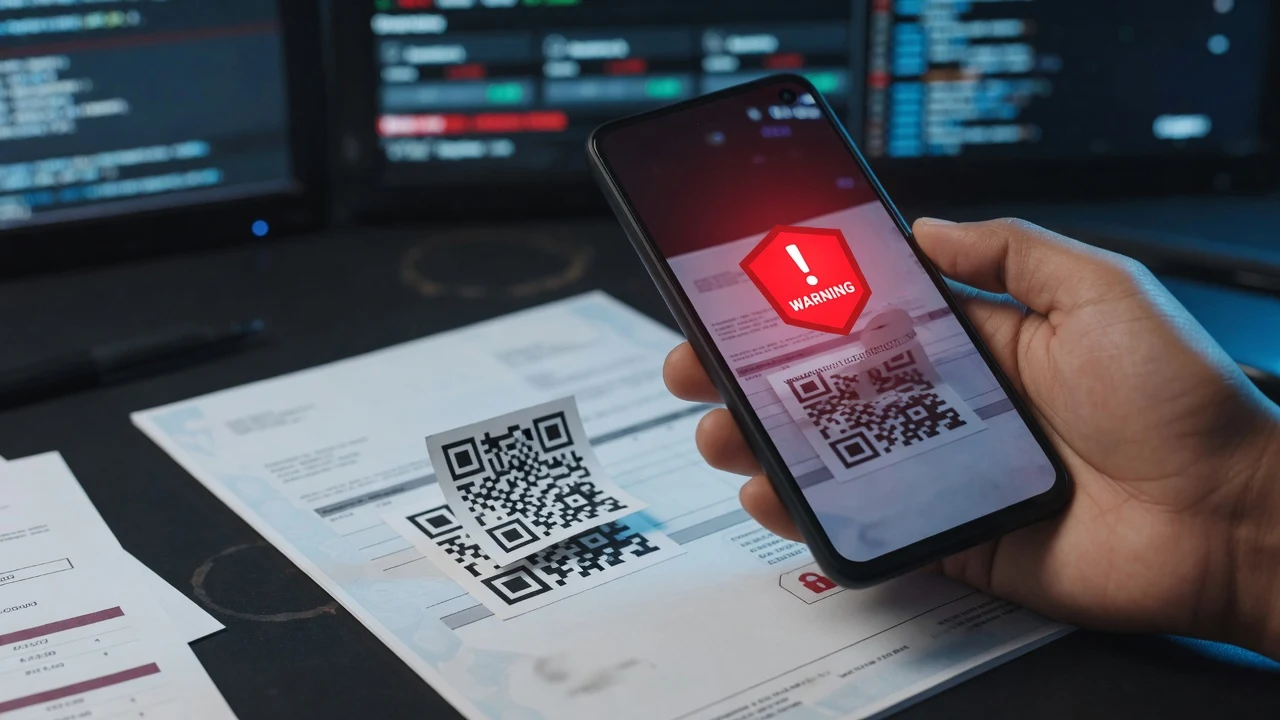
A quishing message looks ordinary. A scanned invoice awaiting approval. A notice that multi-factor authentication must be re-enrolled before Friday. A parcel redelivery, a payroll change. The body carries almost no text, because text is what gets scored. What it carries instead is a black and white square and an instruction to scan it with a phone.
The clever part is not the code. It is the handoff. The moment a person lifts a phone to the screen, the attack leaves every system the organisation controls. The link does not open in a managed browser on a managed laptop behind a corporate resolver. It opens on a personal device, on a mobile network, in whatever browser the camera app handed it to.
Security teams spend years building a controlled path from inbox to browser. A QR code is a three second detour around all of it, and the detour is initiated voluntarily by the target.
Why the Filter Never Sees It
A secure email gateway inspects what it can read: headers, body text, links, attachment structure, sender reputation. A QR code is a bitmap. Unless the gateway decodes images, the destination is simply not present in the message, and there is nothing to rewrite, score or block.
Vendors have added QR decoding, and it helps, but attackers moved before the ink dried. Codes are now drawn as coloured blocks, nested inside a PDF within a password protected archive, or rendered from remote content that returns a harmless image to a scanner and the real payload to a human. The arms race is familiar. What is different is the payoff: the click happens somewhere the defender has no telemetry at all.
Every phishing control an organisation owns assumes the link will be clicked on a machine it manages. A QR code quietly changes the machine, and most of the control stack was never asked whether it agreed to that.
How the Vectors Compare
| Vector | Where it lands | What inspects it | Why it is hard to stop |
|---|---|---|---|
| Classic link phishing | Managed laptop, managed browser | Gateway, URL rewriting, DNS filter, endpoint agent | Mostly solved; volume alone keeps it alive |
| Quishing from email | Personal phone, mobile network | Very little, often nothing | Destination absent from the message; device outside policy |
| Physical code tampering | Personal phone, in the street or lobby | Nothing at all | A sticker over a real code costs pennies and leaves no logs |
| Quishing inside a document | Phone, after a laptop opened the file | Attachment sandbox, if it decodes images | Nested formats defeat most static analysis |
The Phone Is the Worst Possible Place to Judge a Link
Even a careful person is disadvantaged on a handset. The address bar truncates, so a long subdomain pushes the real registrable domain off the right edge. Certificate details take four taps to inspect. There is no hover preview, because there is no cursor.
Add context. Codes get scanned at a parking meter, in a lobby, or while clearing approvals between meetings. The scan is a small, habitual, physical action that feels nothing like clicking a suspicious link, and that feeling is the entire attack.
Physical tampering exploits the same instinct without any email at all. A sticker placed over a genuine code on a parking terminal, a delivery locker or a conference poster costs almost nothing and produces no log entry anywhere. The victim believes they are interacting with a physical object, and physical objects do not usually lie.
The Variant That Does Real Damage
Credential theft is the noisy version. The expensive one is the multi-factor enrolment lure, because it defeats the control most organisations consider their finish line.
The message claims the authentication app must be reconfigured, and helpfully provides a code to scan. The page behind it is an adversary in the middle proxy: it renders the genuine sign-in page, relays the password, relays the one-time code, and captures the session token that the real service issues on success. The victim signs in successfully, sees the service they expected, and notices nothing. The attacker now holds a valid session that survives a password reset.
This is why the phrase "we have MFA" is no longer an answer to phishing. Push approvals, SMS codes and app-generated codes are all relayable. The only widely deployed factor that is not is one bound cryptographically to the origin, which is the case for passkeys and hardware security keys under FIDO2. A relay proxy cannot reproduce the domain the credential was registered against, so the ceremony simply fails.
Before Anyone Scans a Code at Work
- Did it arrive in a message? Treat it exactly as you would an unexpected link, because that is what it is.
- Does the preview show the real domain? Most phone cameras display the destination before opening. Read the part immediately before the first single slash, and nothing else.
- Is it asking for credentials? No legitimate process requires you to sign in to a company account through a code printed in an email.
- Does the sticker sit on top of something? Raised edges, mismatched print quality or a code covering existing artwork are the tell in the physical world.
- Could you reach it another way? Typing a known address or opening the app directly costs ten seconds and removes the attack entirely.
What Actually Reduces the Risk
Awareness training helps at the margins, but a control that depends on every employee being alert every time is not a control. The measures that hold make a successful scan worthless.
- Phishing-resistant authentication. Passkeys or hardware keys for administrators first, then everyone. This single change neutralises the credential theft and session hijack paths regardless of how the victim reached the page.
- Conditional access on device compliance. If corporate resources require a managed, compliant device, a session captured on an unmanaged phone has nowhere useful to go.
- DNS filtering that follows the user. Filtering that only applies on the office network is filtering that never applies to a phone on cellular data, which is precisely where these links open.
- Image-aware mail inspection. Turn on QR decoding if the platform offers it, and expect it to catch the easy half.
- A report button faster than deciding. Reporting a suspicious message should take less effort than evaluating it.
- Out-of-band verification for money. Any change to bank details, any unexpected invoice, any payroll amendment gets confirmed on a phone number already on file. Not the number in the message.
The Honest Limits
None of this stops a sticker appearing on a parking terminal, and no organisation can defend a public code it does not own. What it can do is ensure the credentials harvested there open nothing of value, which is a far more achievable goal than preventing the scan.
It is also worth resisting the instinct to ban QR codes outright. Customers expect them, and a blanket prohibition tends to be ignored rather than followed. The productive policy is narrower: company codes are generated centrally, point only to domains the company owns, and no internal process ever asks an employee to authenticate through a scanned code. Once that is true, any code that does ask is self-evidently hostile, and the judgement call disappears.
Quishing is not a clever attack. It is an old attack that noticed a gap between the systems that inspect messages and the devices that open them. Closing that gap is not primarily a filtering problem, and treating it as one is why organisations keep buying detection for something detection was never going to catch. Make the stolen credential useless, and the picture of a link goes back to being just a picture.